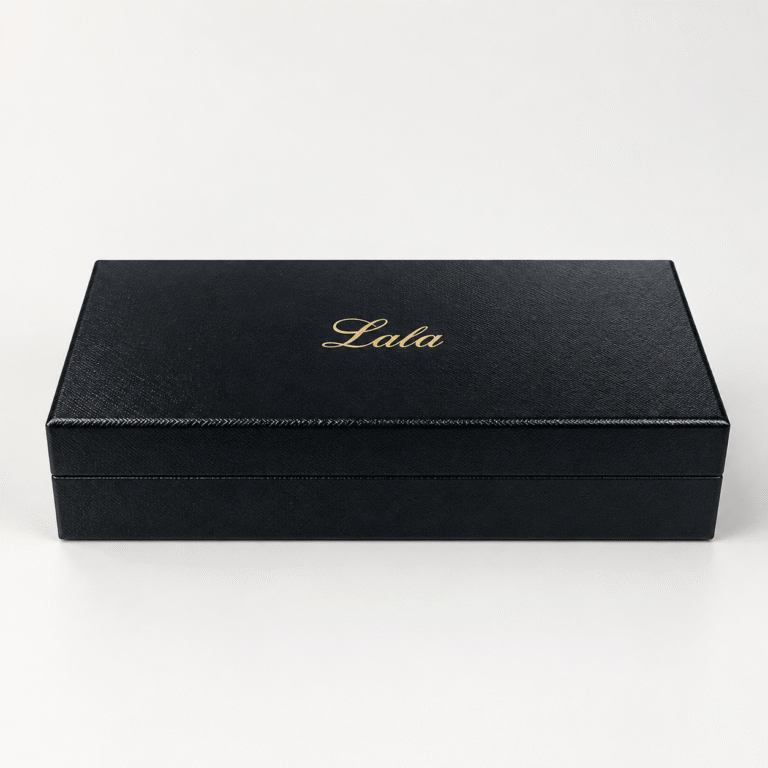
Imagine opening a luxury gift box. A screen lights up inside the lid. A product video starts playing immediately. The recipient watches without pressing a single button. Then the lid closes. The video stops. This is not a concept from a film. This is a smart video box, and it is available today.
Smart packaging is growing across the gift and luxury industries. Brands look for new ways to stand out. A printed box shows a product. A smart video box tells a story. It combines premium materials with digital content. The result is an unboxing moment that people remember.
What Is a Smart Video Box?
A smart video box is a customized presentation box. It carries an integrated LCD screen and an electronic playback system. The system stores video content. When the recipient opens the lid, the video plays automatically. When the lid closes, the playback stops or enters standby mode.
Manufacturers can build these boxes from different materials. Solid wood offers natural grain and strength. MDF provides a smooth, consistent surface for painted finishes. Paperboard works for lighter, cost-conscious projects. For premium applications, a wooden smart video box remains the most popular choice. It combines durability, a refined appearance, and enough internal space for electronic components.
Depending on the design, a smart video box may include:
- An LCD screen integrated into the lid or another suitable position.
- A video playback module with internal memory.
- An opening sensor that detects the lid’s position.
- A rechargeable battery or another suitable power supply.
- Optional speakers, charging ports, and customized interior inserts.
These components fit into the box according to its dimensions. The arrangement depends on the product inside and the intended user experience. A well-planned layout keeps the presentation clean and the electronics secure.
How Does a Box Play Video When Opened?
The automatic playback function depends on two parts: the opening sensor and the playback module. These parts work together to detect whether the box is open or closed.
Step 1: Open the Box
When the recipient lifts the lid, the sensor detects the change in position. The type of sensor can vary. Common options include magnetic switches, light sensors, and tilt sensors. Once the sensor registers the opening movement, it sends a signal to the control system.
Step 2: Play the Video Automatically
The screen turns on and starts the preloaded video. No button is needed. This is the key advantage of the design. The experience feels natural and effortless. Brands use this moment to introduce a product, demonstrate a feature, share a brand story, or deliver a personalized greeting.
Step 3: Close the Box and Stop Playback
When the lid closes, the sensor sends another signal. The system can stop the video, pause it, or switch to standby mode. The exact behavior depends on the programming. This automatic response saves battery and keeps the experience clean.
This interaction is simple to use. However, the exact playback behavior must be confirmed during prototype development. Different products may require different responses. Some clients want the video to start from the beginning each time. Others want it to resume from where it stopped. Testing with a working sample solves these questions before mass production.

Key Benefits of Smart Video Packaging
A More Engaging Unboxing Experience
Traditional packaging presents a product visually. The recipient opens the box and sees the item. A smart video box adds another layer. It brings movement, sound, and storytelling into the same moment. The combination of a physical product and digital content makes the opening experience more memorable. In practice, this small difference can change how customers feel about a brand.
Better Brand Storytelling
A short video can carry a lot of information. It can introduce a company’s history. It can explain product craftsmanship. It can demonstrate features in a way that images cannot. Printed materials have limits. A built-in screen removes those limits. Brands can deliver richer content directly through the packaging itself.
A Premium Presentation for High-Value Products
High-value products deserve high-impact presentation. A well-designed wooden box with a quality finish already signals craftsmanship. Add a screen, and the message becomes stronger. The video can explain design inspiration, materials, and production detail. This works especially well for watches, jewelry, and collectibles, where perceived value matters as much as the product itself.
Reusable Promotional Value
Most packaging is used once. A smart video box can be different. With rechargeable power and durable components, it supports repeated use. The recipient can replay the content whenever they like. Some clients use the box as a long-term display piece. In addition, the video content can be updated after production, depending on the system, which extends the life of the packaging.
Applications of Custom Smart Video Boxes
Luxury Gifts and Corporate Gifts
Companies send gifts to build relationships. A video box adds a personal touch. It can deliver a welcome message from the CEO. It can introduce a new partnership. It can present a customized gift to an important client. For corporate gifting, this level of detail makes a lasting impression.
Cigar, Jewelry, and Collectibles
These products rely on story as much as on craftsmanship. The screen can show the design journey, the inspiration, or the production process. A fitted interior insert holds the item securely. Accessories, certificates, and spare parts can sit in custom compartments. The result is a complete presentation that supports the value of the piece.
Perfume and Beauty Products
Beauty brands use emotion to sell. A video box can introduce a fragrance, demonstrate how to apply a product, or explain the inspiration behind a collection. A wooden or MDF box adds a distinctive feel. Limited editions and special campaigns benefit the most, because the packaging becomes part of the product story.
Product Launches and Marketing Campaigns
New launches need attention. Media kits, press samples, and promotional packages all compete for interest. A smart video box delivers campaign content directly. It can reflect brand colors, logos, and visual identity. When the recipient opens the package, the campaign message plays immediately. This approach works well for events and product debuts.

Design Options for Custom Wooden Video Boxes
Materials and Surface Finishes
Material selection shapes both look and function. Solid wood provides natural grain and a unique character for every piece. MDF gives a consistent, smooth surface that takes paint well. Surface options include high-gloss piano lacquer, matte paint, wood veneer, and custom colors. The choice affects cost, weight, and durability. For example, piano lacquer offers a luxury finish but requires careful handling during production.
Screen Position and Size
The screen can sit in the lid or on another panel. Size and viewing angle must match the box dimensions and the product placement. A screen that is too large can dominate the design. A screen that is too small can be hard to read. The available installation space also matters, because the electronics need room behind the screen.
Interior Inserts and Product Protection
Custom inserts do two jobs. They secure the product, and they organize accessories. Foam, EVA, and velvet-covered materials are common choices. The insert design must also accommodate the electronic components. Wiring and battery placement should not interfere with the product. A good layout protects both the contents and the electronics.
Logo and Branding
Branding ties the box to the brand. Options include laser engraving, screen printing, and hot stamping. The right process depends on the material and finish. For example, laser engraving suits wood and leather. Hot stamping works well on paper and certain coated surfaces. Custom decorative details can also be added to match the brand identity.
What Should Buyers Confirm Before Ordering?
Before ordering, buyers should confirm technical requirements and packaging specifications with the manufacturer. The following points help avoid misunderstandings.
- Screen specifications. Confirm size, resolution, viewing angle, and the intended video content. These choices affect both cost and installation.
- Video format and storage. Check supported file formats and memory capacity. Ask whether the content can be updated after production. Some systems allow changes; others do not.
- Automatic activation. Define the playback sequence. Should the video start from the beginning each time? Should it resume from a saved position? The answer changes the programming.
- Power and charging. Confirm battery capacity, charging method, expected playback time, and standby power consumption. These details affect the box structure and the user experience.
- Sound requirements. Specify whether the video needs a speaker, a headphone connection, or silent playback. Sound adds cost and takes up space.
- Structural design. Ensure the screen, wiring, battery, hinges, and inserts fit securely within the available space. A tight layout can cause production problems later.
- Sampling and testing. Test automatic playback, closing detection, charging, hinge operation, and transport protection before mass production. A working sample reveals issues early.
Electronic components affect the box structure. As a result, it is best to evaluate the wooden enclosure and the playback system together during the early design stage. This approach reduces costly changes later in development.
How Custom Smart Video Boxes Are Made
Developing a smart video box usually follows several stages. First, the manufacturer reviews the project requirements. Then the team selects materials and designs the box structure. After that, they confirm the electronic configuration. Next comes prototyping, followed by testing of the assembled sample.
For custom wooden packaging, the manufacturer should pay special attention to the installation space for electronics, the strength of the lid, cable routing, interior finishing, and protection during transportation.
Buyers can accelerate the quotation process. Provide the intended product dimensions, reference images, estimated order quantity, screen requirements, video specifications, and a preferred delivery schedule. With this information, the manufacturer can prepare an accurate quote quickly.
The final cost depends on several factors. These include box dimensions, material selection, surface finish, screen specifications, electronic functions, interior inserts, and order quantity. A working prototype is recommended before confirming mass production. It protects both sides from surprises.
Conclusion
A smart video box combines physical packaging with digital storytelling. It plays a preloaded video when opened and stops when closed. The experience turns an unboxing moment into a brand interaction. Wooden and MDF boxes work well for this purpose. They offer durability, a premium finish, and space for electronic parts. Key decisions include screen size, playback behavior, power, sound, and interior inserts. Confirm these details early, and verify them with a working prototype. For brands that value presentation, a smart video box makes products memorable.
Planning a custom wooden smart video box? Share your design concept, product dimensions, estimated order quantity, and electronic requirements with our team. We can review the packaging structure and discuss suitable customization options for your project. Contact us to request a quotation.